
Learning 3D
Rance Quest's monsters, the party's small figures on the map, the dungeon rooms and the fight backgrounds are 3D models. This page explains the words for what a model is made of, each with a picture of one of the game's models: where Rance Browser shows it, and where it is in Blender. Game models in Blender then opens one there, step by step.
The pictures show Rance's figure (shujinkou in the game's files), a bear (kuma) and a dungeon room, as Rance Browser and Blender 5.2 draw them.
Mesh
A model's surface is a mesh: points (vertices) joined into triangles. Rance's figure has 16 meshes (the body, the head, the hair, the cape, each piece of armour) with 4,468 triangles in all.
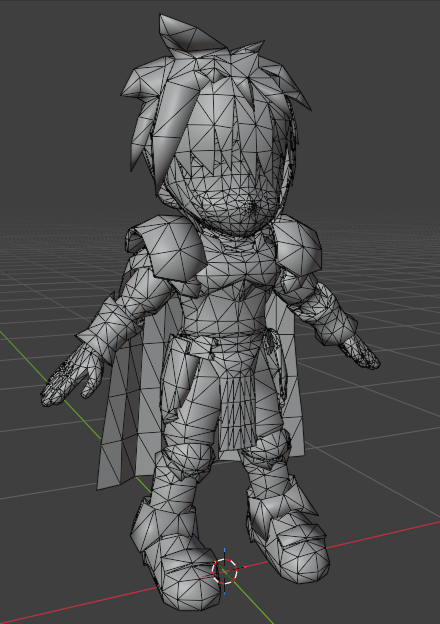
- In the game: a model's folder holds a POL file with all its meshes. Rance Browser's 3D models tab counts them under the model's name ("16 meshes · 4468 triangles").
- In Blender: each mesh is an object. Select one and press Tab for Edit Mode, where its points and edges show. Overlays, Wireframe draws every mesh's triangles.
Texture and UV
A texture is a picture painted over a mesh. Each point of the mesh has a UV: where it sits on the picture, from 0 to 1 across and down. Each triangle shows the part of the picture its three points' UVs cut out, stretched over it.
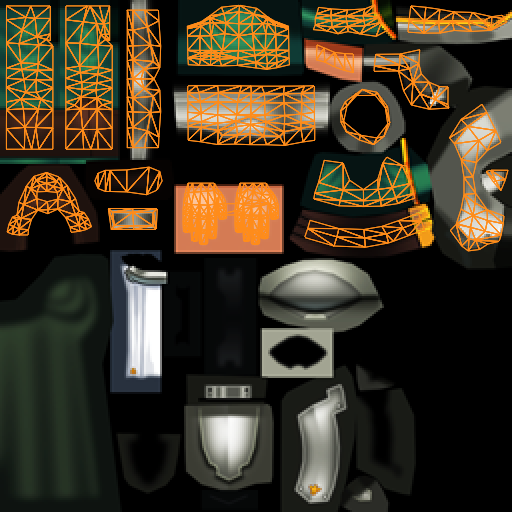
- In the game: the pictures are files in the model's folder (
ransu_karada.pngfor Rance's body), and the UVs are in the POL. The pictures repeat past their edges, so a UV of 1.25 shows the same spot as 0.25. Rance Browser lists a model's pictures under Its textures; a click opens one in the 3D textures tab. - In Blender: the UV Editing workspace (the tabs at the top): the picture on the left with the UVs of the mesh in Edit Mode, the model on the right.
- In a mod:
rq.image.textureputs a picture of yours, or new colours, in the place of a game model's texture (A monster in new colours).
Material
A material says how a mesh is drawn: which pictures, whether parts are see-through, whether both sides show, whether light falls on it. The game also gives some meshes an outline, a light map (a second picture of light and shade laid over the first, as the rooms have), a picture that scrolls (water, lava) or a glow that adds to what is behind it.
- In the game: in the POL and in the names of its meshes (
(alpha)for see-through,(both)for both sides), with an.oprfile for the outline and the scrolling and an.amtfile for shine. Rance Browser's Outline and Light map boxes turn those two off and on. - In Blender: the Material tab of the Properties editor (the red ball), or the Shading workspace. What glTF has no word for is kept in custom properties named
rq_...(see what Blender does not show).
Bones and skeleton
Bones are invisible sticks inside a model that move its points. A model's bones together are its skeleton; Blender calls it an armature. Each bone hangs from another (a hand from a forearm, the forearm from an upper arm), so turning one carries the ones below it.
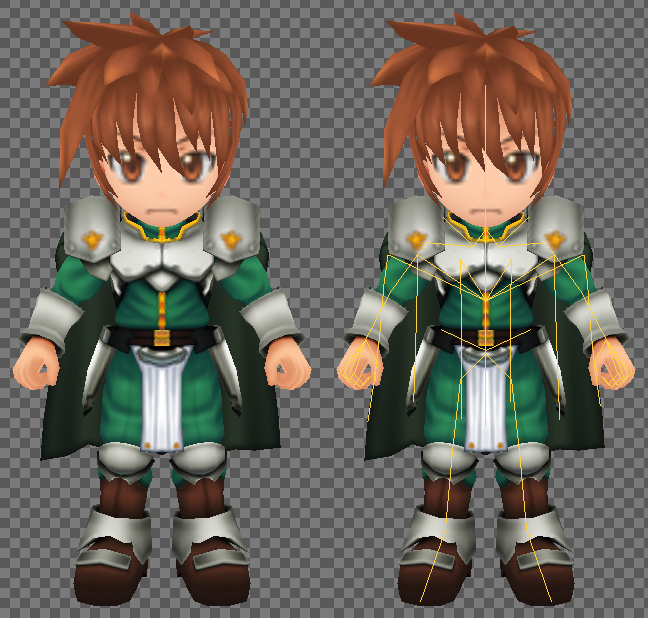
- In the game: in the POL. Rance's figure has 114 bones, named as 3ds Max names them (
Bip01 Spine,Bip01 R Hand), with its cape's own (manto_...). Rance Browser's Bones box draws them. - In Blender: select the armature and choose Pose Mode to turn its bones.
Weights
Weights say how much each bone pulls each point: 1 moves the point with that bone, 0 not at all, and a point between two bones (an elbow, a waist) is pulled by both. Moving points by bones is called skinning.
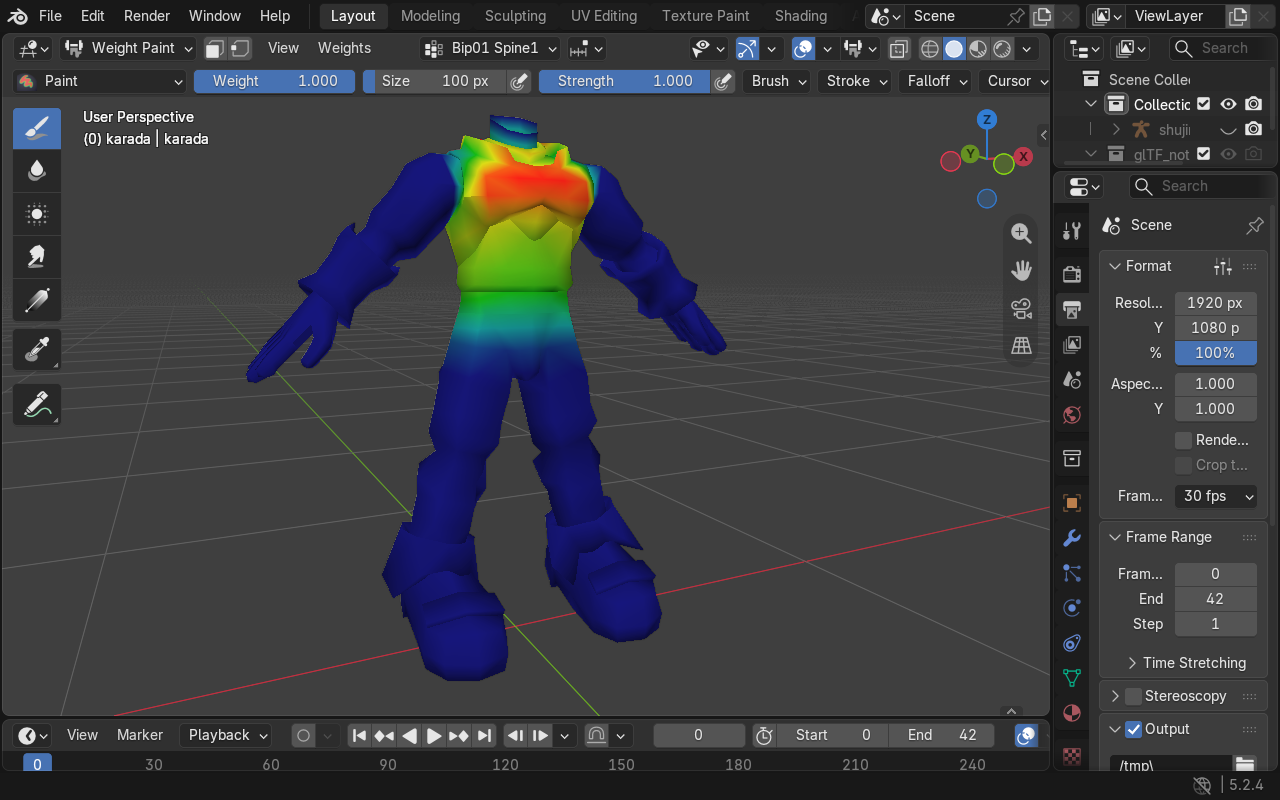
- In the game: in the POL. The game moves a point by at most 4 bones.
- In Blender: each bone's weights are a vertex group of the mesh (the Object Data tab, the green triangle). Select the mesh, choose Weight Paint mode and click a group to see it.
Animation and keyframes
An animation says where each bone is at each moment; each stored moment is a keyframe. The game keeps one for every frame, at 30 frames a second.
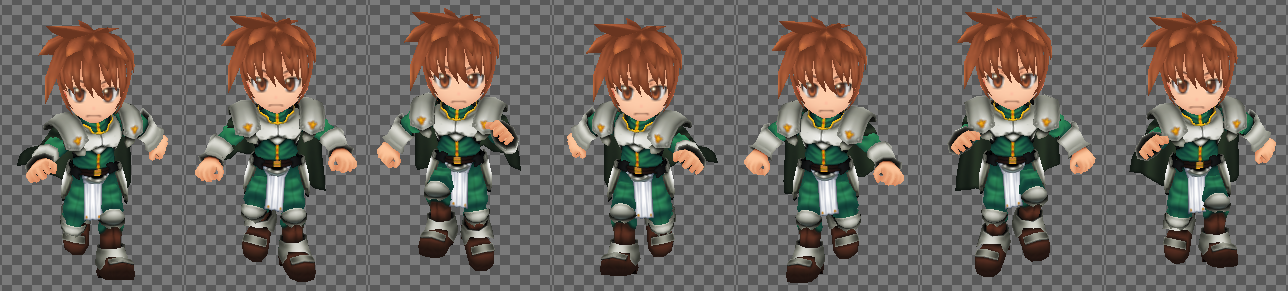
- In the game: a MOT file per animation, named after the model and the move:
taiki(standing),aruki(walking),kougeki(attacking),daikougeki(a big attack),damage(being hit). The game often plays part of one, once or in a loop: Rance's walk is frames 22 to 42 of its 43, his standing 61 to 541 of 605. Rance Browser's motion list says which frames the game plays and how, and plays them. - In Blender: each animation is an action, named after its MOT (
aruki,taiki). The Animation workspace's Dope Sheet, set to Action Editor, picks the action and shows its keyframes.
Texture animation
Some motions change a mesh's picture frame by frame instead of moving bones: a face that changes in an attack, a coin that glints.
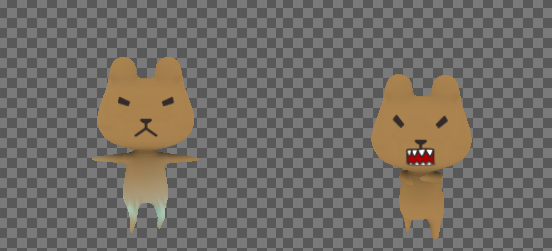
- In the game: a
.txafile beside the MOT says which picture shows on each frame, from the pictures namedface.png,face[1].png,face[2].pngand so on. Some motions also fade or tint a mesh, from an.mprfile. Rance Browser plays both. - In Blender: glTF has no place for either, so Blender plays neither. An exported model keeps the
.txalists in itsrq_motionsproperty and the pictures as images.
Walk mesh
A room's walk mesh is an invisible floor: the game finds the party's height on it, keeps them inside its edges and finds paths across it.
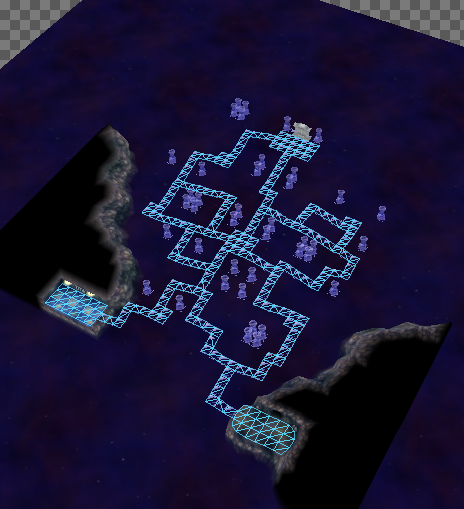
- In the game: a mesh of the room named
collision, which the game never draws. Rance Browser's Walk mesh box draws it over the room. - In Blender: an object named
collision, drawn like the others; hide it (its eye in the Outliner) to see the room.
glTF
glTF is the open format most 3D programs read and write: meshes, pictures, skeletons and animations in one file. Its binary form, a .glb file, is what Rance Browser writes when it exports a model, and Blender, Godot, three.js and many other programs open it.
What a game model has that glTF has no word for (the outline, the light map, the texture animations, the frames the game plays) goes into the file's extras, which Blender keeps as custom properties named rq_....